These step-by-step tutorials help you master every part of Camera Calculator: Math Solver — from solving math by photo to using the scientific calculator and converting currency. Each guide takes only a minute to follow, so you can start getting fast, accurate answers straight away.
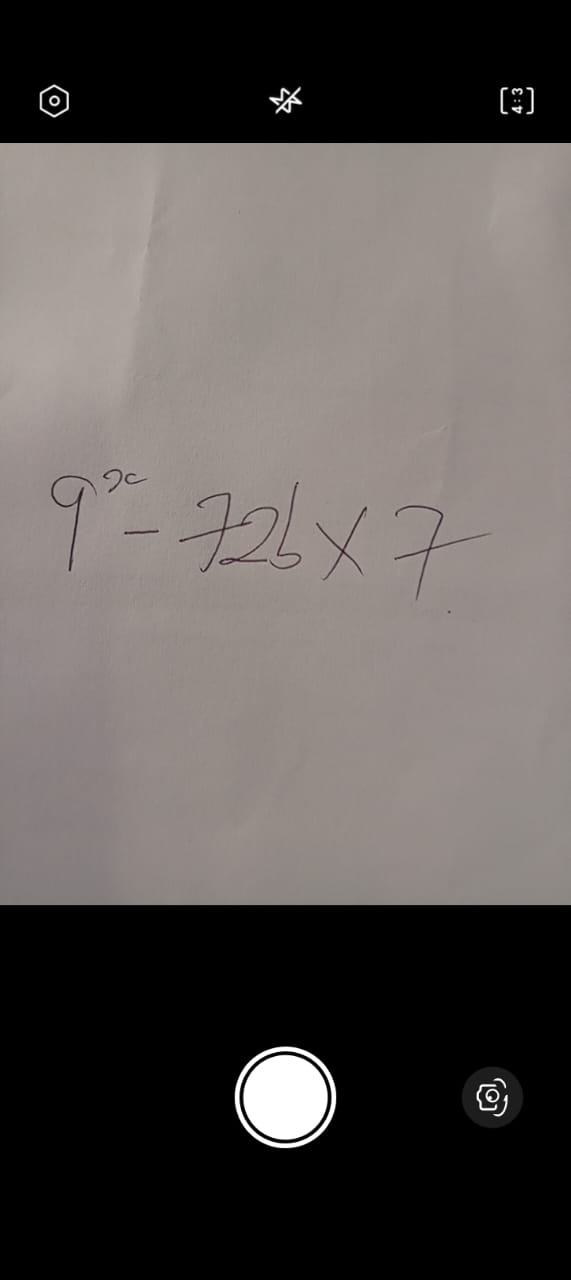
The camera math solver is the quickest way to get an answer, because you never have to type the problem. Follow these steps to scan and solve any equation:
For the best results, use bright, even lighting, keep the whole problem inside the frame, and avoid shadows or glare across the page. If a result does not look right, simply retake the photo — a clearer image almost always fixes it. This method works well for arithmetic, algebra, fractions and percentages, making it ideal for homework, revision and quick everyday sums.
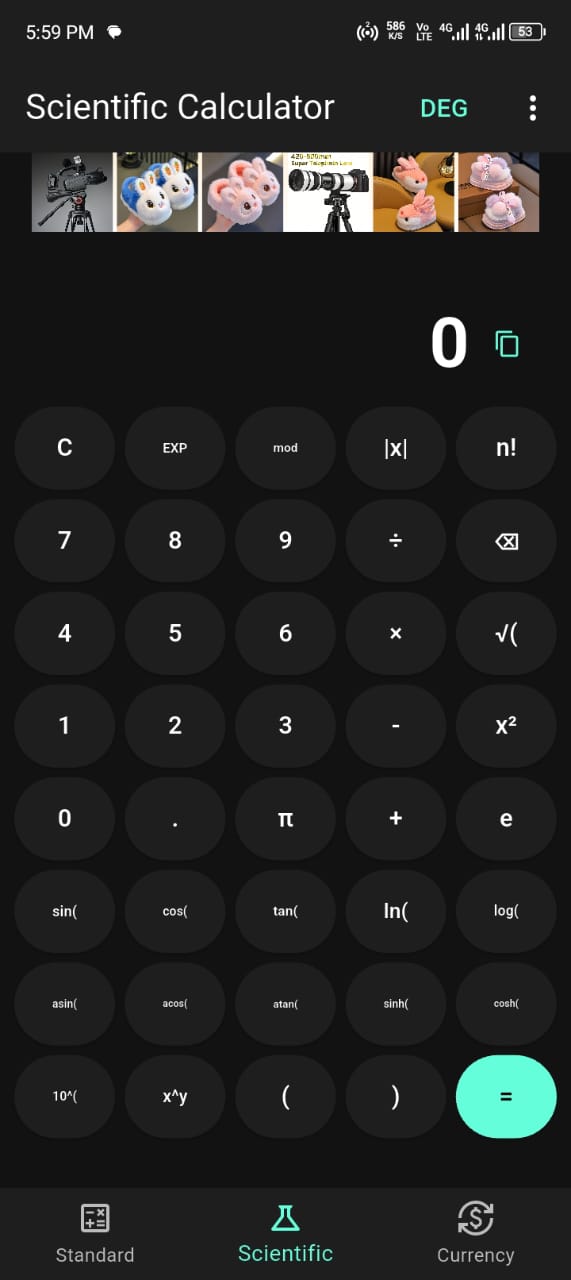
When you would rather enter a calculation by hand, the built-in calculator is always ready. It covers both everyday sums and advanced maths:
The calculator is perfect when a problem is quicker to type than to scan, or when you want to continue working with an answer the camera has just produced. Because standard and scientific modes live together, you never need a separate app.
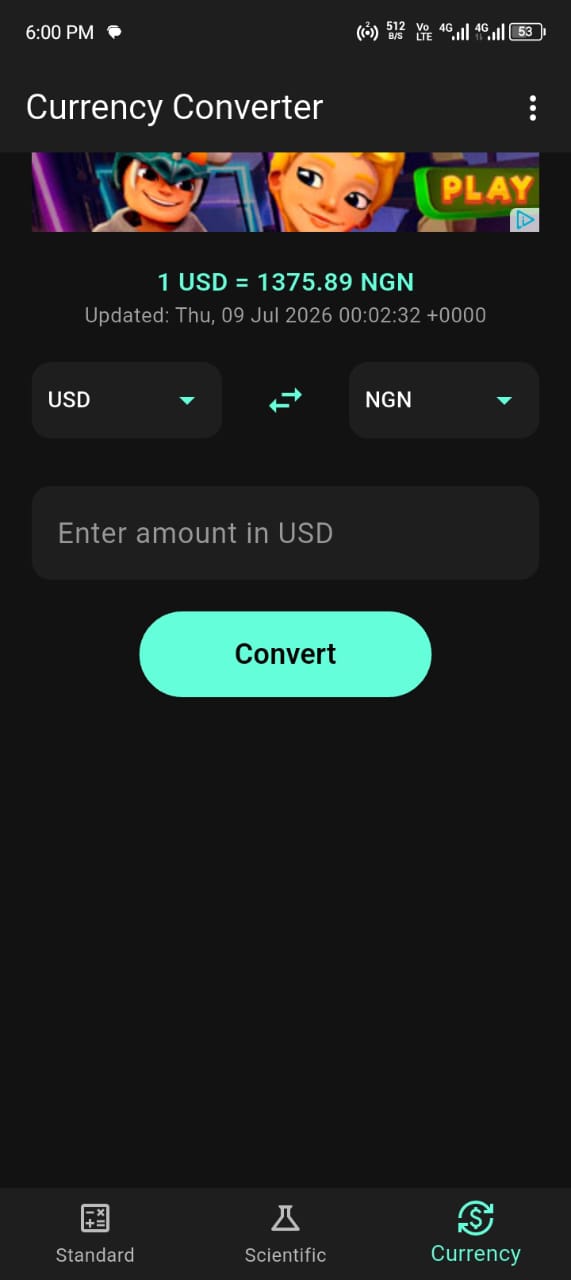
The currency converter is ideal for shopping, travel and business. Converting takes just a few taps:
Live conversion uses up-to-date exchange rates, so connect to the internet for the latest figures. Use it to understand what a foreign price really costs, compare deals while shopping online, or invoice international clients with confidence.
One of the most popular ways to use Camera Calculator is as a homework helper. Work through a problem yourself first, then scan it with the camera and compare your answer to the app's result. If they match, you can move on with confidence. If they differ, you know to revisit your working — and because you have already attempted the problem, you learn far more than you would by simply copying an answer. Used this way, the app supports genuine understanding rather than replacing it, which is exactly why so many students, parents and teachers value it.
Everyday money maths is quick with the calculator. To find a percentage of an amount, enter the number, multiply by the percentage and divide by one hundred — or simply use the percentage function. Working out a discount, a tip at a restaurant, or the tax on a purchase follows the same pattern. Because the calculator sits alongside the currency converter, you can even calculate a discounted price and then convert it to another currency in the same session, which is handy when shopping on international websites.
Whichever feature you use, a few simple habits make a noticeable difference. When scanning, hold the phone parallel to the page, keep the equation sharp and well lit, and fill the frame with the problem so the app has plenty of detail to read. When typing, double-check the operators you enter. And for any important calculation, confirm the result — the app is fast and reliable, but a quick second look is always good practice. With these tips, Camera Calculator becomes a dependable everyday math tool for students, shoppers, travellers and professionals alike.
Once these tutorials become second nature, Camera Calculator turns into a genuine everyday assistant. You might scan a homework question in the morning, split a lunch bill in the afternoon, and convert a price while shopping online that evening — all with the same app and the same few simple gestures. The more you use each feature, the more natural it becomes, and the more time it saves you. Start with the tutorial that matches what you need today, and add the others as you go.
Need more help? Visit the Help Center, browse the Knowledge Base, or read the FAQ.

Point your camera at any equation and get the answer instantly. Scientific calculator, currency converter and step-by-step solutions — free.
Install NowFree on Google Play · No sign-up required
