When something big happens in Nigeria, minutes matter. A policy announcement, an election result, a major transfer, a market move — the sooner you know, the better. The fastest way to stay ahead is to let the news come to you with breaking-news alerts. This guide explains how to set them up in the free All Nigerian Newspapers app, and just as importantly, how to keep them useful instead of overwhelming. If you don't have the app yet, download All Nigerian Newspapers free on Google Play first, then follow along.
Breaking news is a particular kind of news: fast-moving, high-stakes, and quickly buried by the next development. Catching it early gives you time to react, plan or simply understand a situation before everyone else does. But the very speed that makes breaking news valuable also makes it easy to miss if you rely on checking websites manually. That's the gap alerts fill — and All Nigerian Newspapers is especially well suited to the job, because it draws breaking news from across many Nigerian papers rather than a single source, so you catch the story whichever outlet reports it first.
Most people find out about big news by chance — a message from a friend, a post on social media, or by happening to open a news site at the right moment. Alerts flip that around: instead of hunting for the news, the news finds you. For anyone who needs to stay informed — professionals, traders, journalists, students, or simply engaged citizens — that head start is genuinely valuable. And because All Nigerian Newspapers draws from many papers, its alerts reflect what the whole Nigerian press is reporting, not just one outlet.
Open the app and go to Settings. Find the notifications section and switch on breaking-news alerts. If your phone asks for permission to send notifications, allow it — that's what lets the app reach your lock screen when news breaks. This single switch is the foundation; everything else is about tuning it to your taste.
Here's the secret to alerts that help rather than annoy: be selective. The app lets you choose which topics can trigger notifications — Politics, Business, Sports, Entertainment and more. Resist the urge to enable everything. Pick the one or two subjects you genuinely never want to miss, and leave the rest. Because you control the topics, every alert you receive is relevant to you, and your phone stays calm.
National news is only half the picture. Combine alerts with news by state so you're also first to know about developments where you live — Lagos, Abuja, Rivers, Kano or wherever home is. Local breaking news often affects your day more directly than national headlines, and this pairing makes sure you catch it. It's especially useful for the diaspora keeping tabs on a specific home region.
Your ideal alert setup isn't fixed — it evolves. If you find you're getting too many notifications, trim a topic. If a big story is developing and you want to follow it closely, add a relevant topic for a while. When you want quiet, switch alerts off entirely; when you want to be plugged in, turn them back up. Everything is adjustable in Settings and in your phone's system notification controls, so you're always in charge of what can interrupt you.
Notification fatigue — that feeling of being buzzed so often you start ignoring alerts — is the enemy of a good news habit. The cure is restraint. Keep your alert topics minimal, so each notification feels meaningful. Rely on the app's home feed for the broader picture and reserve alerts for the news you truly can't wait for. Done well, breaking-news alerts become a helpful tap on the shoulder a few times a day, not a constant distraction. That balance is what keeps them valuable for the long run.
All Nigerian Newspapers is free on Google Play — install it in seconds and start reading every top Nigerian newspaper in one place.
Consider the alternative: checking Punch, then Vanguard, then The Guardian over and over throughout the day, hoping to catch the big story. It's tiring, it wastes data, and you still risk missing things. With All Nigerian Newspapers, one app watches many papers for you and pings you when it counts. Then you tap straight through to the full report on the publisher's site. It's a far smarter way to stay current, and it frees you from the compulsive refreshing that eats so much time.
A few habits make alerts even better. Use them alongside saved articles: when an alert arrives about a long story you don't have time for now, save it and read it later. Pair category alerts with your state for laser-focused relevance. And review your alert topics every so often to keep them aligned with what you actually care about. With a little tuning, the notification system becomes one of the app's most useful features. To set it all up, download All Nigerian Newspapers free on Google Play and open Settings.
Yes. Like everything in the app, alerts are free. Just download All Nigerian Newspapers free on Google Play and enable them in Settings.
No. Notifications are lightweight and topic-based, so you only receive the ones you've chosen. They won't meaningfully affect battery life.
Yes, any time — in the app's Settings or your phone's system settings. You're always in control.
Check that alerts are enabled in the app, that notifications are allowed for the app in your phone settings, and that you've selected at least one topic. Big news also has to actually break before an alert is sent.
Yes. Combine breaking-news alerts with your state selection so you're notified about important developments in your region, not just national news — ideal for staying on top of what's happening close to home.
Start with just one or two topics you truly care about. You can always add more later, but keeping the list short is the best way to ensure every alert feels relevant and useful rather than overwhelming.
The beauty of topic-based alerts is that they adapt to who you are. A stock trader might enable Business and Economy alerts to catch market-moving news the instant it breaks. A football fan switches on Sports so they hear about Super Eagles squads and big transfers first. A civil servant or activist follows Politics to stay on top of policy and governance. A parent might choose Education for exam and school news. Because you decide which topics matter, the same alert system serves wildly different readers equally well — each person effectively builds their own custom news wire.
Many people rely on social media for breaking news, but that comes with drawbacks: rumours spread fast, context is often missing, and algorithms decide what you see. Breaking-news alerts from All Nigerian Newspapers are different. They're drawn from actual newspapers, and each one links to a full report you can read and verify at the source. You get the speed of a real-time alert with the reliability of established journalism — a far better foundation for understanding what's really happening than a viral post of uncertain origin.
Consider a few everyday scenarios. Fuel prices change overnight, and an Economy alert lets you plan your day before you even leave home. An election result is announced, and a Politics alert means you hear it straight from the papers rather than a rumour. Your team signs a new player, and a Sports alert delivers the news the moment it's confirmed. A major event happens in your state, and a local alert keeps you informed and safe. In each case, being a few minutes ahead — with a trustworthy source to tap into — makes a real, practical difference.
Alerts are most powerful when used alongside the app's other features rather than on their own. When a breaking-news alert arrives about a topic you're following, you can tap through to the full story, then explore the relevant category to see how other papers are covering it. If it's a long read, save it for later. If it concerns your area, check news by state for local angles. In this way, an alert becomes the starting point of a richer reading session, not just a standalone ping. The features are designed to work together, and alerts are the spark that often sets a deeper read in motion.
There's a healthy way to consume breaking news, and alerts can support it. Rather than compulsively checking your phone all day, well-configured alerts let you relax knowing that if something genuinely important happens, you'll be told. That frees you from the anxiety of constant checking while still keeping you informed. The key is trusting your setup: choose your topics thoughtfully, then let the app do the watching. Used this way, breaking-news alerts actually reduce news-related stress rather than adding to it, giving you the confidence to put your phone down and get on with your day.
It's worth remembering what alerts can and can't do. They notify you when major news breaks in your chosen topics, but they depend on stories actually being published and on your internet connection. They're a tool for staying ahead, not a guarantee of catching every single item — that's what the home feed is for. Thinking of alerts as your early-warning system for the big stuff, and the feed as your comprehensive daily review, gives you the best of both. Together they ensure you're both first to know and thoroughly informed.
Beyond the app's own settings, your phone gives you another layer of control. Android lets you manage notification permissions, priority and sound for each app, so you can decide exactly how All Nigerian Newspapers alerts appear — silently in the shade, or with a sound for urgent topics. If you ever want a completely quiet period, you can pause notifications system-wide and resume them later. Between the app's topic controls and your phone's settings, you have all the tools you need to make alerts fit your life perfectly.
Breaking-news alerts turn your phone into an early-warning system for Nigerian news — as long as you set them up thoughtfully. Enable them, choose a couple of key topics, add your state, and tune as you go. You'll be first to know about the developments that matter to you, without the fatigue of constant buzzing. download All Nigerian Newspapers free on Google Play and never miss an important Nigeria news headline again.
Read every top Nigerian newspaper and stay informed on Nigeria news today — all in one fast, free app.
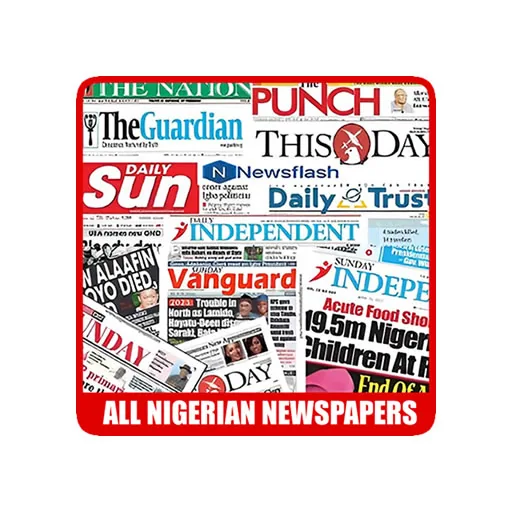
Punch, Vanguard, The Guardian, Daily Trust and 30+ more Nigerian newspapers in one free app. Breaking news alerts, news by state and offline reading.
Install NowFree on Google Play · No sign-up required
