A complete reference to every feature of the All Nigerian Newspapers app — home feed, sources, categories, news by state, notifications, saving, settings and more.
This documentation is a complete reference to how All Nigerian Newspapers works, feature by feature. It's designed to help new and experienced users alike understand every part of the app and get the most from it. If you prefer a guided walkthrough, see the tutorials; if you just want quick answers, try the FAQ. And if you haven't installed the app yet, download All Nigerian Newspapers free on Google Play to follow along.
Use this page as a reference you can return to whenever you want to understand a feature more deeply. Each section stands on its own, so you can read from top to bottom or jump straight to the part you need — sources, categories, news by state, notifications, saving, settings and more. Throughout, we've linked to the relevant tutorials and knowledge-base articles so you can go from understanding a feature to actually using it in a couple of taps.
All Nigerian Newspapers is a free Android news aggregator by Topweb Technologies. It brings headlines and top stories from many Nigerian newspapers and media organisations into one app, and links each story to its original publisher so you can read the full report at the source. It is not a publisher itself: it does not host or rewrite articles, and all content and trademarks belong to the respective owners. Its purpose is to make discovering and reaching Nigeria's journalism dramatically easier, all from one convenient place.
At its heart, the app does one thing exceptionally well: it takes the scattered world of Nigerian online news and brings it into a single, orderly, personalised feed. The sections below explain each part of that experience — what it is, what it does, and how to use it — so that whether you're a first-time user or a long-time reader, you can be confident you're getting everything the app has to offer.
When you open the app, the home feed shows the latest headlines and top stories from across Nigeria, refreshed through the day as publishers post new content. Pull down to refresh for the newest items. Each entry shows a headline and short summary; tapping it opens the complete article on the publisher's website. The home feed is the app's default view and the fastest way to get an at-a-glance sense of everything happening right now.
The Sources area lists the Nigerian newspapers you can follow — such as Punch, Vanguard, The Guardian, Premium Times, Daily Trust, ThisDay, Tribune, The Nation, BusinessDay and Channels TV. Selecting a source shows its recent stories, so you can read a single paper in isolation if you wish. Sources may be added or updated over time as publishers change their websites. For the full, current list with descriptions of each paper, see the Newspapers page.
Categories let you filter the news by topic: Politics, Business, Economy, Sports, Entertainment, Technology, Education, Health, Metro, Opinion and Lifestyle. Each category aggregates relevant stories from across all sources, so you get many perspectives on the subjects you care about. Categories are ideal for cutting straight to your interests without wading through unrelated news. Learn more on the Categories page.
News by State lets you follow updates from any of Nigeria's 36 states and the FCT — including Lagos, Abuja, Kano, Rivers, Oyo, Kaduna, Delta and Enugu. Selecting a state focuses your feed on that region, and you can combine a state with a category to narrow further (for example, Lagos business news). This feature is particularly valuable for local readers and for the diaspora keeping up with a specific home region. See the News by State page for details.
In Settings, enable breaking-news notifications to receive optional alerts when major stories break. You choose which topics trigger alerts, so notifications match your interests, and you can turn them off at any time — either in the app or in your device's system settings. Alerts are entirely optional and under your control. For a step-by-step guide, see how to enable breaking-news notifications.
Tap the save or bookmark icon on any article to keep it. Your saved stories are gathered in one place so you can return to them later, even when you're busy. This is useful for building a reading list, keeping important pieces you want to revisit, and saving long reads for a quieter moment. See how to save articles for more.
Personalise your reading experience in Settings. Switch on dark mode for a dark, low-glare theme that's comfortable at night and can help save battery, and adjust the text size for comfort and accessibility. Your preferences are remembered between sessions. See dark mode & text size for details.
Use search to quickly find a specific newspaper, category or story from the sources you follow. Search is the fastest route to something specific when you don't want to scroll, and it makes even a large feed feel manageable.
The app runs on Android phones and tablets and needs an internet connection to load the latest headlines and open full reports. It is built to be lightweight, so it performs well on modest devices and connections, and browsing headlines uses very little data. Full articles load from the publisher's site when you tap through.
All Nigerian Newspapers is a news aggregator and does not claim ownership of third-party articles, trademarks, logos or publisher names — all intellectual property belongs to the respective owners. The app is designed to work with minimal personal information, and you can read exactly how data is handled in our Privacy Policy and the terms of use in our Terms of Service.
All Nigerian Newspapers is free on Google Play — install it in seconds and start reading every top Nigerian newspaper in one place.
A quick reference to the terms used throughout the app and this documentation. Aggregator: an app that gathers headlines from many sources and links to the originals, rather than publishing its own articles — that's what All Nigerian Newspapers is. Home feed: the default view showing the latest headlines from across all sources. Source: an individual newspaper or news website, such as Punch or Vanguard. Category: a topic filter like Politics or Sports that pulls relevant stories from every source. News by state: a filter that focuses your feed on a chosen state. Breaking-news alert: an optional notification for a topic you select. Saved articles: stories you've bookmarked to read later.
Most personalisation lives in Settings. There you can select your categories and state, enable or disable breaking-news notifications and choose their topics, switch dark mode on or off, and adjust the text size. Changes take effect immediately and are remembered between sessions, so you only need to set them once. If you ever want to start fresh, simply revisit Settings and adjust your choices — nothing is permanent, and you can experiment freely until the app feels exactly right for you.
Because All Nigerian Newspapers relies on live content from publishers, an internet connection is needed to fetch fresh headlines and open full articles. The app is engineered to be light and responsive, but the speed of opening a full report ultimately depends on the publisher's own website. Updates to the app itself arrive through Google Play, typically automatically, bringing new sources, features and fixes over time. If a particular source temporarily stops appearing, it is usually because that publisher has changed its website; such issues are generally resolved in subsequent updates.
To get the most from All Nigerian Newspapers, treat the home feed as your headline scan, categories as your focused channels, and news by state as your local lens. Keep breaking-news alerts limited to a couple of key topics so they remain useful, and use saved articles to set aside longer reads for a calmer moment. Pull to refresh for the latest headlines, and tap through to the source whenever you want the complete story. Adopting these habits turns the app from a simple headline list into a genuinely efficient way to stay informed about the whole country.
Different readers use the app in different ways. A commuter scans the home feed and saves a few pieces to read on the bus. A business owner opens Business and Economy first thing and enables market-related alerts. A student follows Politics and Education for coursework and current affairs. A football fan lives in the Sports category with alerts on during the season. A member of the diaspora selects their home state to stay close to local news from abroad. The app flexes to fit all of these, because its building blocks — feed, sources, categories, states, alerts and saves — combine in countless ways.
Full articles open on the publisher's website, so a slow or temporarily unavailable source site can affect loading. Check your connection and try again shortly.
Ensure breaking-news alerts are enabled in the app, that at least one topic is selected, and that notifications are allowed for the app in your phone's system settings.
Google Play updates apps automatically by default. You can also update manually from the app's Google Play listing to get the newest features and fixes.
Once you're comfortable with the basics, a few habits unlock even more. Build a set of state-and-category "recipes" you switch between — Lagos business in the morning, your home state in the evening. Keep alert topics lean so notifications stay meaningful. Use search as your shortcut to a specific paper or developing story rather than scrolling. Treat saved articles as a curated reading list and clear it on a regular schedule. And refresh your setup occasionally as your interests change. None of this is required, but together these habits turn the app into a remarkably efficient personal newsroom drawn from the whole Nigerian press.
Because it shapes how everything works, it's worth restating the app's model clearly. All Nigerian Newspapers gathers publicly available headlines from many Nigerian publishers and presents them in one feed. It does not host, rewrite or alter any article. When you choose to read a story, the app opens that publisher's own website, where the full, original piece lives, along with their advertising, subscriptions and policies. All content, trademarks and branding remain the property of the respective publishers. This model is what makes the app both broad and respectful: broad because it can bring together dozens of sources, and respectful because it always sends readers to the original journalism at its source.
For guided setup, see the tutorials; for quick answers, the FAQ; for detailed how-tos, the knowledge base; and for anything else, the Help Center or Contact page. To start using every feature described here, download All Nigerian Newspapers free on Google Play.
Read every top Nigerian newspaper and stay informed on Nigeria news today — all in one fast, free app.
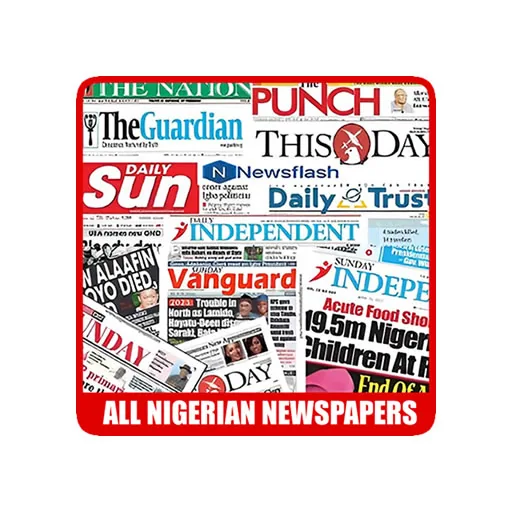
Punch, Vanguard, The Guardian, Daily Trust and 30+ more Nigerian newspapers in one free app. Breaking news alerts, news by state and offline reading.
Install NowFree on Google Play · No sign-up required
