A complete guide to how the All Nigerian Newspapers app works — from the home feed and sources to categories, news by state, notifications, saving and settings.
All Nigerian Newspapers is simple to use, but understanding how each part works helps you get the most from it. This guide walks through the app from opening it to reading a full story, explaining the home feed, sources, categories, states, alerts, saving and settings along the way. Whether you're brand new or just want to use the app more fully, this is your complete reference. To follow along, you can download All Nigerian Newspapers free on Google Play.
When you open the app, the home feed is the first thing you see — a live stream of the latest headlines and top stories from across the Nigerian press, refreshed through the day as publishers post new content. Each entry shows a headline and short summary. Pull down to refresh for the newest items. The home feed is your at-a-glance view of everything happening right now, and for many readers a quick daily scan here is all they need to feel caught up.
The Sources area lists the newspapers you can follow — Punch, Vanguard, The Guardian, Premium Times, Daily Trust, ThisDay and more. Selecting a source shows its recent stories, so you can read a single paper on its own if you prefer. This is handy when you want one outlet's full take, or to explore what a particular paper is covering. The available sources may change over time as publishers update their sites. See the full list of supported newspapers.
Categories let you filter the news by topic: Politics, Business, Economy, Sports, Entertainment, Technology, Education, Health, Metro, Opinion and Lifestyle. Each category gathers relevant stories from across all sources, so you get many perspectives on the subjects you care about. Categories are the fastest way to cut through the noise and read only what interests you. Learn more on the Categories page, or see news categories explained.
News by State lets you focus your feed on any of Nigeria's 36 states or the FCT — Lagos, Abuja, Kano, Rivers, Oyo and the rest. Selecting a state surfaces stories from that region, and you can combine a state with a category to narrow further, like Lagos business news. This is one of the app's most powerful features, especially for local readers and the diaspora. See the News by State page or the news by state guide.
Tapping any headline opens the complete article on the publisher's own website, so you always read the original, full report exactly as published. This is central to how the app works: it shows you the headlines and takes you to the source for the full story. Nothing is rewritten or altered. If a full article is slow to open, it's loading the publisher's website, so a busy source site can occasionally be the cause — trying again shortly usually helps.
All Nigerian Newspapers is free on Google Play — install it in seconds and start reading every top Nigerian newspaper in one place.
In Settings, you can enable optional breaking-news notifications and choose which topics trigger them. When major news breaks in a topic you follow, you'll get an alert on your lock screen. You control everything — which topics, and whether alerts are on at all — and you can change it any time. For a full walkthrough, see how to enable breaking-news notifications.
Tap the save or bookmark icon on any article to keep it, then find it again in your saved list whenever you're ready to read. This is perfect for building a reading list or setting aside long articles for later. See how to save articles for more.
Use the search feature to quickly find a specific newspaper, category or story from the sources you follow. Search is the fastest route to something specific when you don't want to scroll, and it makes even a large feed feel manageable. Type a few words and you're taken straight to what you're looking for — a particular paper, a topic, or a developing story you want to read more about.
In Settings you can switch on dark mode for comfortable night reading and adjust the text size for readability. Your preferences are remembered between sessions. These small touches make a real difference to everyday reading, especially at night or for anyone who prefers larger, clearer type. See dark mode & text size for details.
No. You can read the home feed immediately. Setting up categories, states and alerts simply personalises the experience, and you can do it any time.
On the publisher's own website, so you read the original, complete report.
Yes. Every preference can be changed at any time in Settings.
Yes. All of this is free — just download All Nigerian Newspapers free on Google Play to begin.
Rather than juggle a dozen websites for using All Nigerian Newspapers effectively, let one app do the gathering. All Nigerian Newspapers brings Nigeria's leading papers into a single free feed, always linking through to the publisher for the full story — with news by category, news by state, and alerts you control. download All Nigerian Newspapers free on Google Play and see for yourself.
Used together, these features turn the app into your personal Nigerian newsroom: the home feed for the big picture, categories and states for focus, alerts for the big moments, and saved articles for the long reads. download All Nigerian Newspapers free on Google Play and set it up in a couple of minutes. For a guided walkthrough, see the tutorials.
Read every top Nigerian newspaper and stay informed on Nigeria news today — all in one fast, free app.
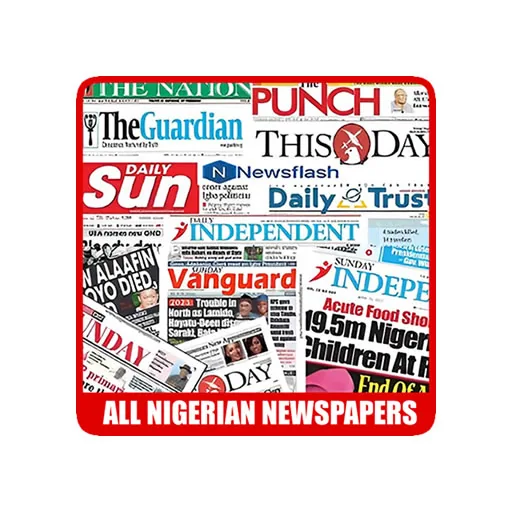
Punch, Vanguard, The Guardian, Daily Trust and 30+ more Nigerian newspapers in one free app. Breaking news alerts, news by state and offline reading.
Install NowFree on Google Play · No sign-up required
