An invoice generator for freelancers should make project, hourly, day-rate and retainer billing easy to explain. It should also reduce the risk of missing a purchase-order reference, billing period, deliverable or due date that a client needs before approving payment.
Choose a generator that supports client details, itemized services, dates, currency, discounts, applicable tax, terms and PDF export. Reference the contract or approved scope, describe completed work precisely and retain the final invoice with evidence of delivery.
Choose a billing model the client recognizes
Hourly billing should show the billing period, hours and rate, supported by an approved timesheet when required. Fixed-fee work should identify the deliverable or milestone. A retainer invoice should state the covered period and agreed scope rather than presenting an unexplained monthly amount.
Do not mix models without explanation. If a project fee includes a defined number of revisions and extra work is billed hourly, use separate lines. Match terminology to the contract and purchase order so the client's reviewer does not need to translate your invoice.
Connect scope, delivery and invoice references
Include the client identity, invoice number, issue and due dates, currency and relevant contract, project or purchase-order reference. Describe what was delivered and when. For a milestone, use the accepted milestone name rather than a generic label such as professional services.
Keep evidence outside the invoice when it is too detailed for the customer document: approved timesheets, acceptance emails, delivery links and change approvals. The invoice should be concise, while the supporting trail answers questions if the client disputes a charge.
Use payment terms deliberately
State the actual due date or agreed term clearly. Do not invent late fees, interest or deposit rules after work is complete. Payment instructions must be authorized and verified, particularly if they changed during the engagement.
International freelance work requires an explicit invoice currency because symbols may be ambiguous. Record how fees, conversion and transfer costs are handled under the agreement. A generator can display these terms but cannot decide them for the parties.
Create a repeatable monthly freelance routine
Set a recurring calendar task to gather approved work records, create invoices, review them and record the send date. Use a stable numbering pattern and consistent filename. Follow up through the channel agreed with the client rather than relying on repeated unscheduled messages.
When payment is confirmed, update your records and issue a receipt if appropriate. Do not turn the original invoice into a receipt by changing its title. Keeping each stage separate makes year-end record review and client support easier.
Worked example: a freelance brand designer
Project: Spring product launch
Billing milestone: Final approved delivery
Currency: USD
- Brand concept and style direction - 1 project x $600 = $600
- Final logo asset package - 1 delivery x $350 = $350
- Additional revision round - 2 hours x $75 = $150
Total: $1,100
Payment terms: Due within 14 days
This fictional invoice separates the fixed deliverables from approved additional hours. The freelancer would retain the scope and revision approval as supporting records.
Freelance invoice fields to verify
- Freelancer or business identity
- Correct client and billing contact
- Unique invoice number
- Contract, project or purchase-order reference
- Billing period or milestone
- Specific services, hours or deliverables
- Currency, subtotal and verified adjustments
- Due date and authorized payment instructions
- Final PDF and delivery record
A checklist reduces omissions, but it does not determine legal or tax treatment. Requirements vary by country, business status and transaction. Verify current official rules or obtain qualified advice when a required field, tax rate or record obligation is uncertain.
Create a Freelance Invoice Now
Itemize project work or billable time, review the total and export a professional PDF on Android.

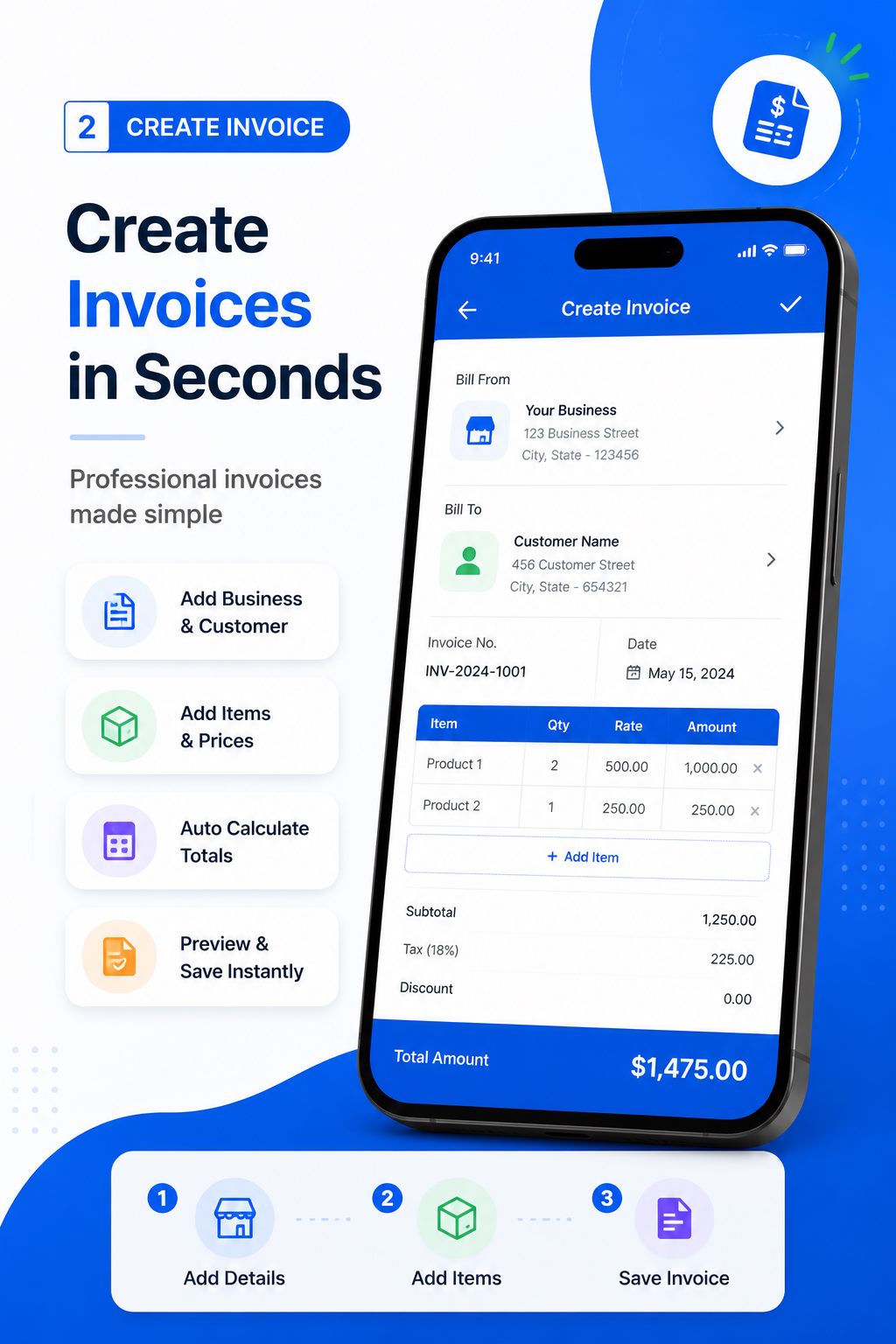
Create and deliver the document on Android
- Open the invoice maker after the work reaches the billing milestone agreed with the client.
- Enter verified business, customer, reference, date and line-item information.
- Review quantities, prices, discount, applicable tax, currency and total independently.
- Preview the layout, generate the PDF and open the saved file in a trusted viewer.
- Confirm the recipient, share the approved version and retain it in your business records.
Free Invoice Maker supports invoices, payment receipts, quotations and delivery waybills in one Android app. Its role is document generation: it does not replace bookkeeping, payment processing, tax filing, contract review or professional advice. Use the correct document for the stage of the transaction.
Common mistakes to avoid
- Writing a vague line such as freelance work with no period or deliverable.
- Billing unapproved extra work or revisions.
- Using a currency symbol without naming the currency.
- Changing payment terms after the work was accepted.
- Sending the editable template rather than the final PDF.
Before sending, read the document from the recipient's perspective. They should be able to identify the parties, understand the transaction, follow the calculation and know what happens next without asking what an unexplained line means.
Add a freelancer month-end invoice review
Freelancers often create invoices quickly between client tasks, so a scheduled review prevents small inconsistencies from accumulating. Once a month, compare issued invoice numbers with project records, check which PDFs were actually sent and confirm that paid, outstanding and disputed amounts are distinguished in the bookkeeping system. Review recurring descriptions too: they should explain the delivered outcome without exposing confidential project information.
Use the review to improve future billing. If clients repeatedly ask what a line item means, rewrite the standard description. If approvals delay payment, add the purchase order or milestone reference the client expects. A disciplined month-end check turns an invoice generator into part of a reliable freelance process while keeping accounting decisions in the proper records.
Frequently asked questions
What should a freelancer invoice include?
Include freelancer and client identities, number, dates, project reference, itemized services, currency, total, terms and authorized payment information.
Can a freelancer use a free invoice generator?
Yes. Test its PDF export and limits, then verify every business and transaction field.
How should freelancers bill hourly work?
State the billing period, approved hours and hourly rate, with supporting time records when required.
Can I create a freelance invoice on my phone?
Yes. Free Invoice Maker provides an Android invoice and PDF workflow.
Is a freelance invoice the same as a receipt?
No. The invoice requests payment; a receipt documents confirmed payment.
Final recommendation
A strong freelance invoice mirrors the agreement and gives the client everything needed to approve payment. The generator handles structure; the freelancer remains responsible for scope, evidence, calculations and follow-up.
Create a Freelance Invoice Now with Free Invoice Maker. Create a fictional test document first, inspect the PDF and use real customer information only after the workflow is understood.
Editorial note: This guide uses the verified app capabilities, current search-intent research and profession-specific workflow analysis available on 24 August 2026. Examples are fictional and do not provide legal, accounting or tax advice.
