A free receipt maker helps a business provide a clear customer record after payment. The most important controls are timing, payment reference, amount, currency and connection to the original invoice or sale - not decorative template choices.
Confirm that payment has cleared according to your process, choose Receipt, identify the payer and transaction, record the date, amount, currency and payment reference, review the PDF and send it to the customer.
Use a receipt at the correct transaction stage
An invoice states an amount due. A receipt acknowledges that payment has been received. A quotation proposes price before approval. Do not switch these labels simply because the same customer and amount appear in each document.
Confirm payment through the authorized bank, cash, card or other business process before issuing the receipt. A screenshot, promise or pending transfer may not equal cleared funds. Follow the organization's payment-confirmation rules.
Record a traceable payment
Include the business, payer or customer, receipt number, payment date, amount, currency and transaction description. Reference the original invoice, order or sale where appropriate. Record a payment method or reference at a level that supports reconciliation without exposing sensitive credentials.
Never include a PIN, card security code, password or full authentication data. A receipt should help identify the transaction while minimizing unnecessary personal and payment information.
Handle partial and combined payments
If only part of an invoice is paid, the receipt must not imply that the full balance is settled. State the amount received and connect it to the invoice. Track the remaining balance in the appropriate records rather than inventing it from memory.
When one payment covers several invoices, follow the business allocation process and provide references the customer can understand. Do not duplicate a receipt for the same payment unless the duplicate is clearly controlled.
Create and retain the PDF receipt
Preview the receipt and verify payer, amount, currency, date and invoice reference. Download the PDF, open it and use a filename that distinguishes it from the invoice. Send it only to the intended recipient.
Retain the receipt with the invoice and payment record. The customer copy is useful, but the business still needs proper bookkeeping and any legally required records. A receipt generator does not confirm or process the payment itself.
If a customer asks for another copy, reproduce the same approved transaction information and identify the copy according to the business process. Avoid issuing a new receipt number that could make one payment look like two.
Worked example: payment of a service invoice
Receipt number: RCP-2026-083
Received from: Example Customer Ltd
Payment date: 24 August 2026
Reference: Invoice INV-2026-071
- Payment received toward approved service invoice = $450
Amount received: $450
Currency: USD
Payment reference: Business-approved reference ending 8421
This fictional receipt links the payment to the invoice and records only a limited reference. The business would confirm the funds independently before issuance.
Payment receipt checklist
- Payment confirmed through an authorized process
- Business and customer identities
- Unique receipt number
- Actual payment date
- Amount received and currency
- Original invoice, order or sale reference
- Safe payment-method reference
- Partial-payment status described accurately
- Opened PDF and controlled record copy
A checklist reduces omissions, but it does not determine legal or tax treatment. Requirements vary by country, business status and transaction. Verify current official rules or obtain qualified advice when a required field, tax rate or record obligation is uncertain.
Create a Professional Receipt
Create unlimited payment receipts on Android and export print-ready PDFs for your customers.

Create and deliver the document on Android
- Choose Receipt only after payment has been confirmed according to the business process.
- Enter verified business, customer, reference, date and line-item information.
- Review quantities, prices, discount, applicable tax, currency and total independently.
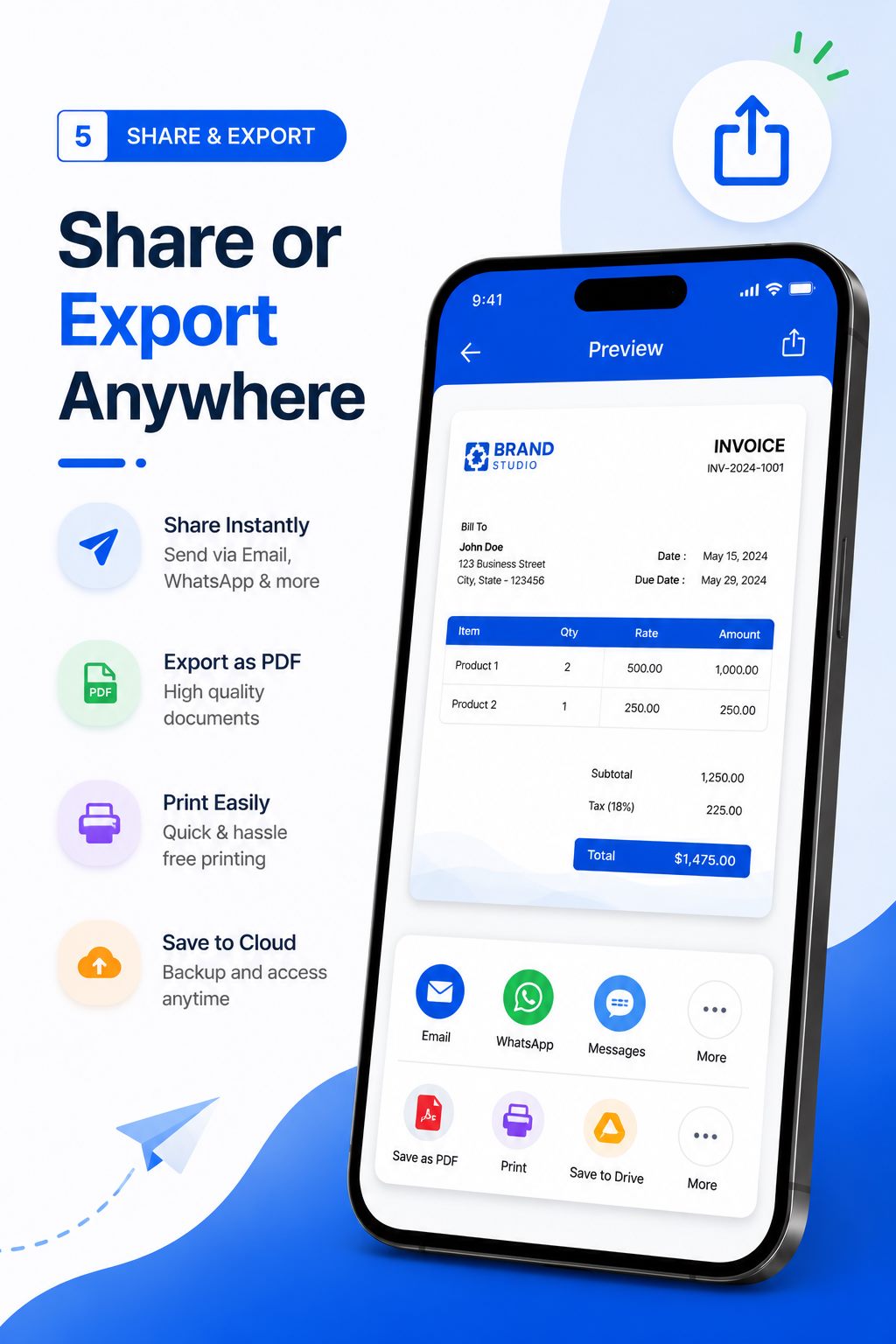
- Preview the layout, generate the PDF and open the saved file in a trusted viewer.
- Confirm the recipient, share the approved version and retain it in your business records.
Free Invoice Maker supports invoices, payment receipts, quotations and delivery waybills in one Android app. Its role is document generation: it does not replace bookkeeping, payment processing, tax filing, contract review or professional advice. Use the correct document for the stage of the transaction.
Common mistakes to avoid
- Issuing a receipt before funds are confirmed.
- Changing the invoice title to receipt and losing the original record.
- Implying full settlement after a partial payment.
- Including full card or authentication information.
- Creating duplicate receipts without identifying them as controlled copies.
Before sending, read the document from the recipient's perspective. They should be able to identify the parties, understand the transaction, follow the calculation and know what happens next without asking what an unexplained line means.
Reconcile receipts with the payment record
A receipt workflow is strongest when every issued document can be matched to an independent payment record. At the end of the day or reporting period, compare receipt number, invoice reference, payer, currency, amount and payment date with the authorized ledger or bank record. Investigate missing numbers, duplicate numbers and differences before they become customer disputes.
Keep corrections traceable. If a receipt contains an error, follow the business policy for voiding or replacing it instead of silently changing the stored copy. The original invoice, confirmed payment and final receipt should tell one consistent story. This reconciliation habit matters more than decorative design because it protects the accuracy of the business record.
Frequently asked questions
What is the difference between an invoice and receipt?
An invoice requests payment; a receipt acknowledges payment already received.
Can I create a receipt on Android?
Yes. Free Invoice Maker includes a receipt maker and PDF export on Android.
When should I issue a receipt?
After the business has confirmed payment according to its authorized process.
Can a receipt show a partial payment?
Yes, but it should state only the amount received and avoid implying that the full invoice is settled.
Is a receipt maker a payment processor?
No. It creates the document and does not verify, transfer or settle funds.
Final recommendation
A professional receipt is valuable because it is truthful, traceable and connected to confirmed payment. Keep invoice and receipt roles separate, limit sensitive data and retain both sides of the transaction record.
Create a Professional Receipt with Free Invoice Maker. Create a fictional test document first, inspect the PDF and use real customer information only after the workflow is understood.
Editorial note: This guide uses the verified app capabilities, current search-intent research and profession-specific workflow analysis available on 24 August 2026. Examples are fictional and do not provide legal, accounting or tax advice.
