An invoice maker for contractors should handle more than one total. It should let the contractor distinguish labour from materials, reference the job or contract, explain progress billing and show approved changes without confusing them with the original scope.
Identify the job and billing stage, separate labour and materials, include approved change work, deduct valid deposits or prior payments where appropriate, verify tax and retention treatment, then export and inspect the PDF.
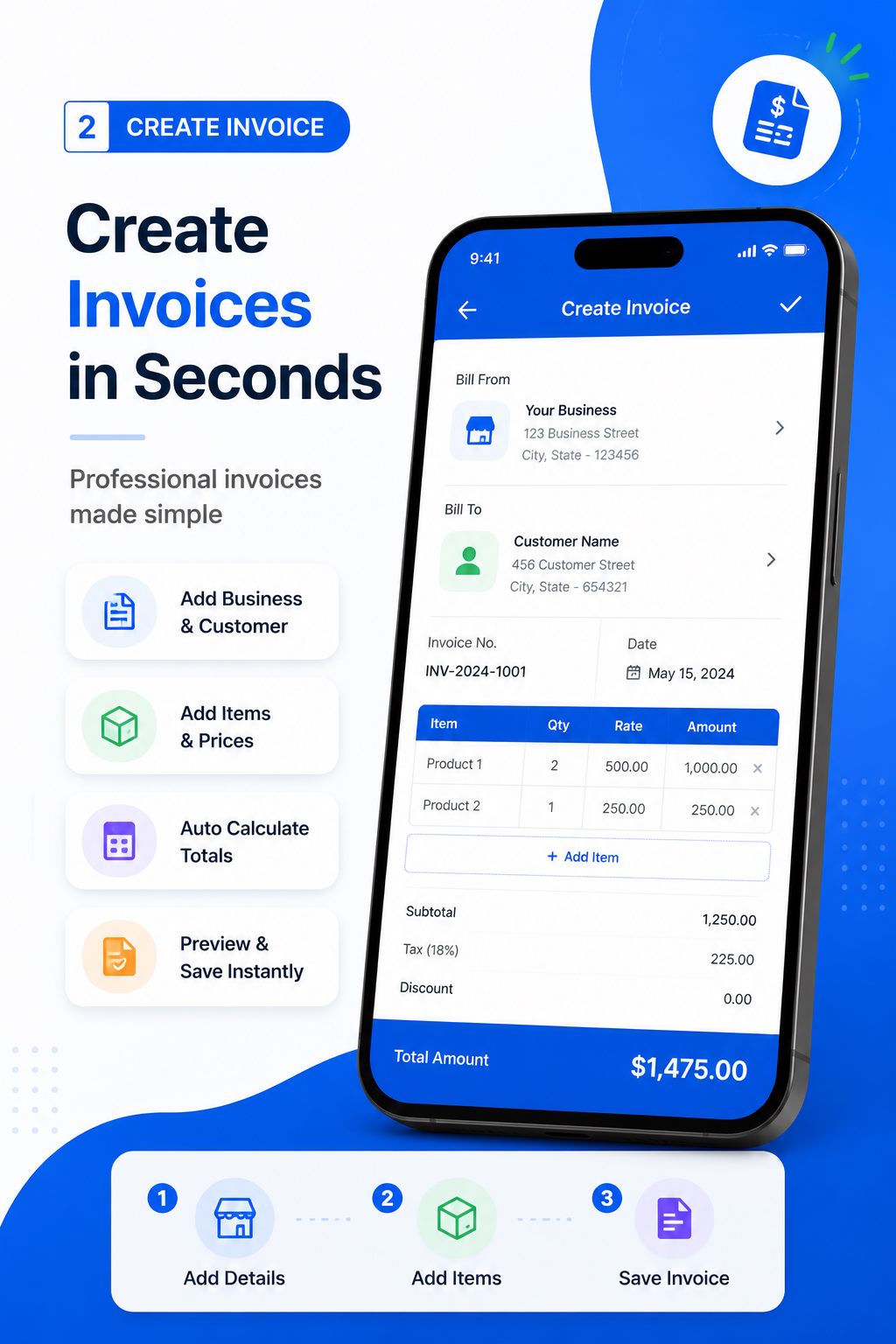
Identify the job and billing stage
Include the client, project or job-site reference, invoice number, service dates and contract or work-order number where used. State whether the invoice covers a deposit, progress milestone, completed service call or final balance. This context helps a customer match the charge to the project.
Do not describe an incomplete milestone as finished. If the contract allows progress billing, use the agreed percentage, measured work or schedule of values. Keep inspection, approval or completion evidence in the project file.
Separate labour, materials and equipment
Itemize labour by task, hours, days or fixed work package. List materials with useful quantities and descriptions, and distinguish equipment hire or subcontracted work when the agreement requires it. Avoid one broad construction services line that the customer cannot review.
Markups, call-out charges and delivery fees should follow the contract and be described clearly. Do not expose supplier-sensitive detail unnecessarily, but provide enough information for the customer to understand the billing basis.
Handle deposits, changes and progress carefully
Show the current amount in relation to approved deposits, previous progress invoices or payments when relevant. Approved change orders should carry their own reference and description. Never add verbal extra work without evidence that the client accepted scope and price.
Retention, withholding and tax treatment vary significantly. A document generator can calculate an entered amount but cannot decide the lawful base or when it becomes payable. Confirm the contract and current rules with qualified advisers.
Close the job with connected records
Link quotation, work order, waybill, progress invoice, final invoice and receipt through references. For delivered materials, a waybill can record movement while the invoice records the payment request. These documents should agree without pretending to serve the same purpose.
Store signed completion, delivery evidence, approved changes and final PDF. When the final balance is paid, retain the payment record and issue the appropriate receipt. A coherent file reduces disputes months after the site team has moved on.
Worked example: a small renovation milestone
Project: Kitchen renovation - Phase 2
Job reference: KR-2026-08
Billing stage: Cabinet and electrical rough-in completed
- Carpentry labour - 24 hours x $45 = $1,080
- Electrical subcontract labour - 8 hours x $60 = $480
- Cabinet hardware and fixings - 1 lot x $320 = $320
- Approved change CO-03 - additional outlet = $125
Subtotal: $2,005
Less agreed deposit allocation: $500
Amount before applicable tax: $1,505
This fictional progress invoice names the stage, separates labour and materials and references the approved change. Deposit and tax treatment must follow the actual contract and jurisdiction.
Contractor invoice checklist
- Client, project and job-site reference
- Contract, work-order or purchase-order number
- Billing stage and service dates
- Labour by task and billing unit
- Materials and equipment where applicable
- Approved change-order references
- Deposits, previous payments or retention shown correctly
- Verified tax, currency, total and terms
- Completion or delivery evidence retained
- Reviewed PDF and customer submission record
A checklist reduces omissions, but it does not determine legal or tax treatment. Requirements vary by country, business status and transaction. Verify current official rules or obtain qualified advice when a required field, tax rate or record obligation is uncertain.
Create Your Contractor Invoice
Build an itemized job invoice on Android and export a professional PDF from the work site.

Create and deliver the document on Android
- Choose invoice when the contract milestone, completed service or approved billing stage is due.
- Enter verified business, customer, reference, date and line-item information.
- Review quantities, prices, discount, applicable tax, currency and total independently.
- Preview the layout, generate the PDF and open the saved file in a trusted viewer.
- Confirm the recipient, share the approved version and retain it in your business records.
Free Invoice Maker supports invoices, payment receipts, quotations and delivery waybills in one Android app. Its role is document generation: it does not replace bookkeeping, payment processing, tax filing, contract review or professional advice. Use the correct document for the stage of the transaction.
Common mistakes to avoid
- Using one vague line for a complex project.
- Billing a milestone before the agreed condition is met.
- Adding change work without written approval.
- Deducting deposits or prior payments inconsistently.
- Confusing a delivery waybill with an invoice or receipt.
Before sending, read the document from the recipient's perspective. They should be able to identify the parties, understand the transaction, follow the calculation and know what happens next without asking what an unexplained line means.
Check progress billing against approved work
A contractor invoice should distinguish work completed in the current period from the broader contract value. Compare labour, materials, equipment, approved variations and milestone percentages with site records before entering them. If retention, deposits or previous applications affect the amount due, describe them according to the contract and have the calculation reviewed. The invoice maker should reproduce an approved calculation, not decide contractual entitlement.
Attach or reference supporting detail only when the customer process requires it, and keep confidential site information out of a general PDF. For construction work, use consistent job names, locations and change-order references across every billing cycle. This progress check helps the customer follow the claim and prevents the same work from being billed twice.
Frequently asked questions
What should a contractor invoice include?
Include job and client references, dates, itemized labour and materials, approved changes, currency, totals and agreed payment terms.
Can construction businesses use the same page?
Yes. The contractor workflow covers project stages, labour, materials, deposits and approved change work.
How do I show a deposit on a contractor invoice?
Show it according to the contract and bookkeeping treatment, with a clear reference and independently verified remaining amount.
Should materials be itemized?
Itemize them to the level required by the agreement and needed for customer review.
Can I create the invoice at the job site?
Yes. An Android invoice app supports mobile entry and PDF generation.
Final recommendation
Contractor invoicing is strongest when every charge can be traced to the job, billing stage and approved scope. Mobile generation saves time, but evidence and independent review protect the business.
Create Your Contractor Invoice with Free Invoice Maker. Create a fictional test document first, inspect the PDF and use real customer information only after the workflow is understood.
Editorial note: This guide uses the verified app capabilities, current search-intent research and profession-specific workflow analysis available on 24 August 2026. Examples are fictional and do not provide legal, accounting or tax advice.
