An invoice maker for a cleaning business needs to handle one-time deep cleans and repeating service schedules without turning every visit into a vague line. Property references, frequency, labour basis and additional services are the core context.
Name the customer and service location, state the cleaning date or billing period, itemize the package and approved extras, verify quantities and tax, then export and inspect the PDF.
Identify the property and service period
Use the customer and billing entity, property or site reference, service date or covered period and contract number where applicable. Commercial customers may operate several locations, so an invoice without the site can be difficult to approve.
For recurring service, state the frequency and number of completed visits. Do not bill a scheduled visit that was cancelled or not performed unless the agreement clearly defines an applicable charge.
Describe the cleaning package and extras
Identify routine cleaning, deep clean, move-in or move-out service, post-construction cleaning or another agreed package. List additional tasks such as oven cleaning, carpet treatment or window work separately when priced outside the base service.
Use quantities that make sense: visits, hours, rooms, square area or fixed package. Avoid mixing them in a way the customer cannot follow. Keep staff scheduling and private property access details out of the invoice.
Handle supplies, travel and adjustments
Include consumables or specialist products only according to the agreement. Travel, parking or equipment charges should be disclosed and approved. If the customer receives a service credit or discount, show it clearly and calculate it from the correct base.
Do not apply tax from an old template without verifying current treatment. Recurring invoices can repeat an error for months, so review rates, customer identity and contract changes at each billing cycle.
Build a recurring invoicing routine
At the end of each period, compare the service log with scheduled and approved work. Create the invoice, check the number of visits and extras, export the PDF and send it to the named billing contact. Store the final file with the service record.
Track status separately and follow up according to the contract. If payment is received, retain evidence and issue a receipt when appropriate. A repeatable routine prevents missed visits from becoming missed revenue or disputed charges.
For a corrected service count, keep the original invoice and use the correction process approved by the business instead of silently replacing the customer file. This protects the history of recurring billing.
Worked example: a monthly office-cleaning contract
Site: North Point Office - Floor 2
Billing period: August 2026
- Routine office cleaning - 8 visits x $85 = $680
- Monthly kitchen deep clean - 1 x $120 = $120
- Approved carpet spot treatment - 2 areas x $35 = $70
Subtotal before applicable tax: $870
This fictional invoice identifies the site and period, counts completed visits and separates additional treatment from the routine service.
Cleaning-business invoice checklist
- Customer, billing entity and service location
- Contract or site reference
- Service date or billing period
- Number and frequency of completed visits
- Base cleaning package
- Approved deep-clean or specialist extras
- Supplies, travel or discounts handled as agreed
- Currency, applicable tax, total and terms
- Service log compared with the final PDF
A checklist reduces omissions, but it does not determine legal or tax treatment. Requirements vary by country, business status and transaction. Verify current official rules or obtain qualified advice when a required field, tax rate or record obligation is uncertain.
Create Your Cleaning Invoice
Bill recurring visits, deep cleans and approved extras, then export the customer PDF on Android.

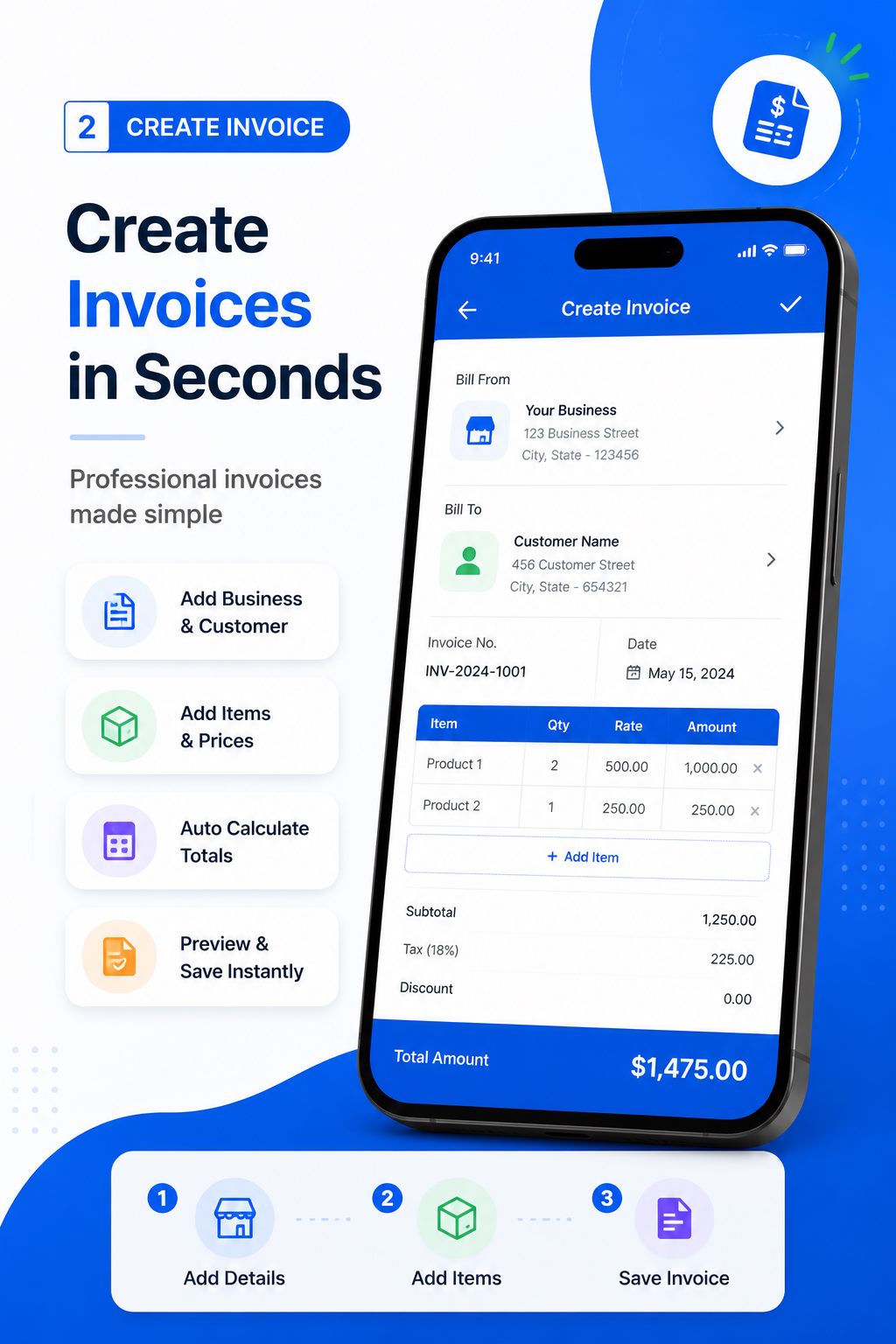
Create and deliver the document on Android
- Choose invoice after the cleaning visit or agreed recurring billing period is complete.
- Enter verified business, customer, reference, date and line-item information.
- Review quantities, prices, discount, applicable tax, currency and total independently.
- Preview the layout, generate the PDF and open the saved file in a trusted viewer.
- Confirm the recipient, share the approved version and retain it in your business records.
Free Invoice Maker supports invoices, payment receipts, quotations and delivery waybills in one Android app. Its role is document generation: it does not replace bookkeeping, payment processing, tax filing, contract review or professional advice. Use the correct document for the stage of the transaction.
Common mistakes to avoid
- Leaving the service location off a multi-site customer invoice.
- Billing scheduled visits without comparing the service log.
- Hiding specialist extras inside the routine package total.
- Including keys, alarm codes or access instructions in invoice notes.
- Repeating an outdated rate or tax setting every month.
Before sending, read the document from the recipient's perspective. They should be able to identify the parties, understand the transaction, follow the calculation and know what happens next without asking what an unexplained line means.
Verify the cleaning service period before billing
Cleaning invoices should make the covered work obvious, especially when a customer receives weekly visits or several locations are managed under one account. Compare the invoice with the approved schedule and completion log. State the service date or billing period, location, visit frequency and any authorized extras such as deep cleaning, supplies or after-hours access. Do not combine unrelated sites into an unexplained total.
When a visit is missed, rescheduled or partially completed, resolve the treatment before generating the customer PDF. Recurring service does not remove the need for a clear record. A short verification step prevents duplicate visits, omitted extras and billing-period confusion while giving the customer enough context to approve payment without requesting a separate breakdown.
Frequently asked questions
What should a cleaning invoice include?
Include the customer, service location, period, completed visits, package, approved extras, total and payment terms.
How do I invoice recurring cleaning?
State the billing period, frequency and number of completed visits, then reconcile against the service log.
Can deep cleaning be a separate line?
Yes. Separating a specialist service helps the customer understand charges outside the routine package.
Should cleaning supplies be itemized?
List them only at the detail and pricing basis agreed with the customer.
Can a cleaning business invoice from a phone?
Yes. An Android invoice maker can create and share PDFs from the service location.
Final recommendation
Cleaning-business invoices become easier to approve when they identify the property, completed frequency and approved extras. Reconcile the service log first and keep sensitive access information out of the document.
Create Your Cleaning Invoice with Free Invoice Maker. Create a fictional test document first, inspect the PDF and use real customer information only after the workflow is understood.
Editorial note: This guide uses the verified app capabilities, current search-intent research and profession-specific workflow analysis available on 24 August 2026. Examples are fictional and do not provide legal, accounting or tax advice.
